What you'll get
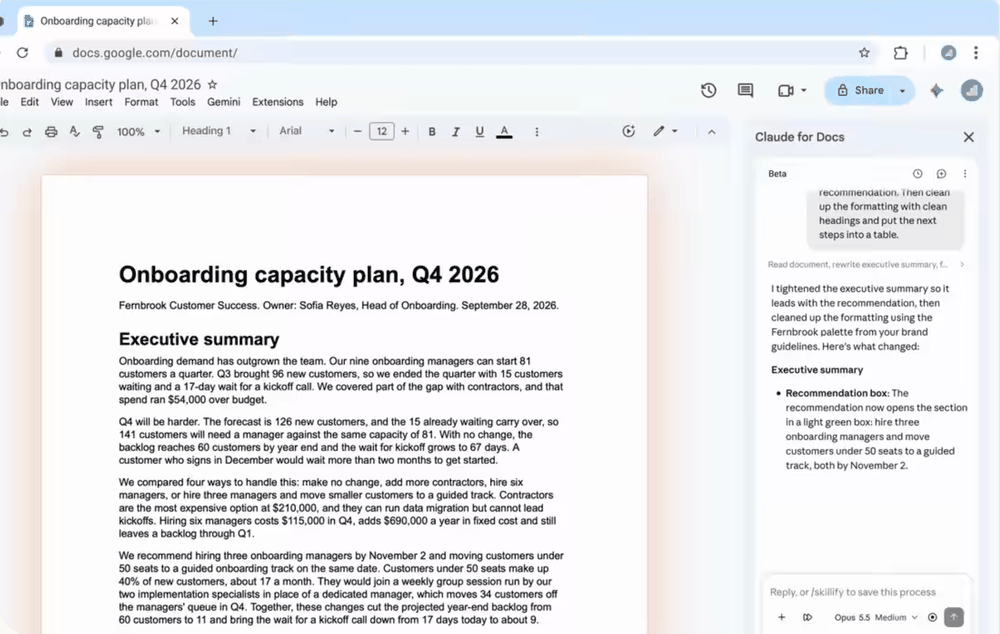
- Claude in a sidebar next to your Docs, Sheets and Slides files, from one install.
- The setting that makes Claude wait for your Allow before it changes anything in your file.
- Ready prompts to try in each of the three apps.
Check the three things you need
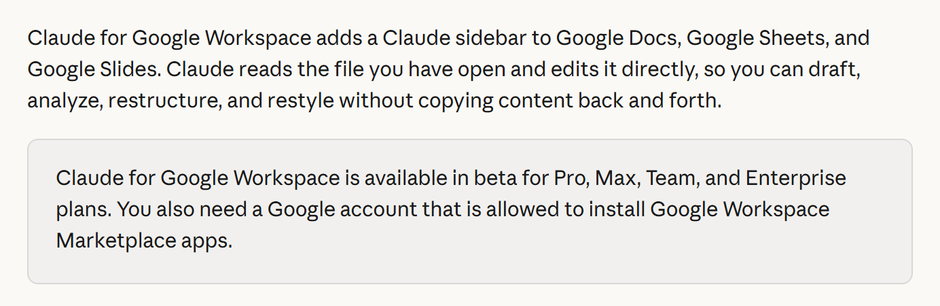
Claude for Google Workspace is in beta. Make sure you have these before you start.
- 1. A paid Claude plan: Pro, Max, Team or Enterprise. The free plan isn't on the list.
- 2. Chrome, Edge or Safari. Firefox isn't supported in this beta.
- 3. A Google account that is allowed to install apps from the Google Workspace Marketplace.
Check it worked: It worked if you can log in to Claude on a paid plan and open Google Docs in one of those browsers.
Install Claude from the Marketplace
One install adds Claude to Docs, Sheets and Slides together.
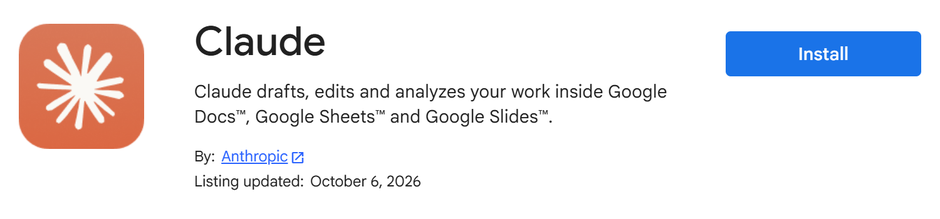
- 1. Open the Claude listing in the Google Workspace Marketplace. It should say By: Anthropic.
- 2. Click Install.
- 3. Choose the Google account you use for Docs, Sheets and Slides, and click Continue.
- 4. Review the permissions and click Allow.
Check it worked: It worked if the install finishes with no error message.
NoteInstall button greyed out, or a message that says "This application is not allowed by your administrator"? Your company's Google Workspace blocks Marketplace apps. Only your Google admin can fix that, by allowlisting Claude or installing it for you from the Google Admin console.
Open Claude inside a file
Start in Google Docs. A test document is fine for the first try.
- 1. Open any Google Doc. If it was already open before the install, reload it.
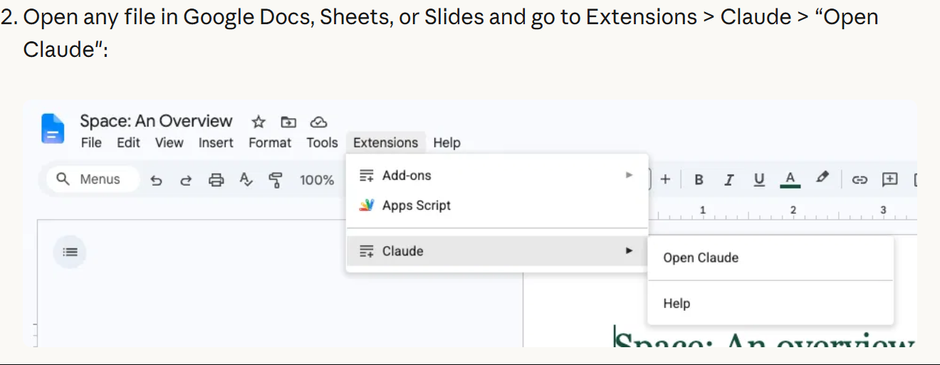
- 2. Go to Extensions > Claude > Open Claude.
- 3. The quick way: press Alt+/ (Option+/ on a Mac) and type Claude.
Check it worked: It worked if a Claude sidebar opens next to your document.
NoteClaude isn't in the Extensions menu? Reload the file, because extensions only show up in files opened after the install. Still missing? Check that you're signed in to Google with the same account you installed it on.
Allow access and sign in
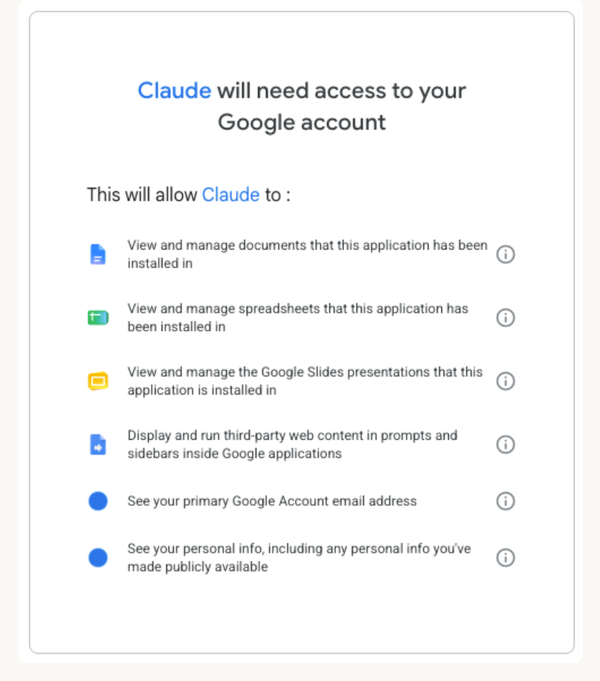
The first time you open it, Google shows what Claude will be able to do. Claude gets access only to the file it's opened in. It doesn't ask for your Drive, Gmail or Calendar.
- 1. Read the list and click Allow.
- 2. In the sidebar, sign in with your Claude account, the paid one from step 1.
- 3. Connectors are optional. You can skip them for now.
Check it worked: It worked if the sidebar shows a box where you can type a message to Claude.
NoteClaude reads the open file plus anything you attach. Anthropic says it does not use this content to train its models.
Keep it asking, then give it a job
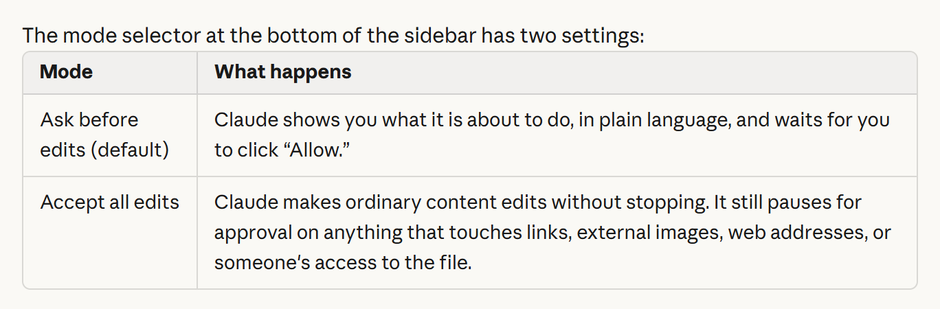
The mode selector at the bottom of the sidebar has two settings. Ask before edits is the default, and it's the one to keep.
- 1. Check that the mode says Ask before edits.
- 2. Copy the first Docs line from the box below (without the Docs: label), paste it and send. Claude answers in the sidebar.
- 3. Send the second Docs prompt. Claude shows what it is about to change in plain words. Read it and click Allow.
- 4. Try the Sheets and Slides prompts in a spreadsheet and a deck.
Check it worked: It worked if nothing in your file changes until you click Allow.
NoteThe other mode, Accept all edits, lets Claude work without stopping. Even then it still asks before anything that touches links, outside images, web addresses or who can open the file. Keep the sidebar open while Claude works, since closing it stops the task.
Docs: Summarize this document in five bullets.

Docs: Make every heading sentence case.

Sheets: What does column F calculate?

Slides: Make the titles across the deck parallel and under eight words each.Check every change in Version history
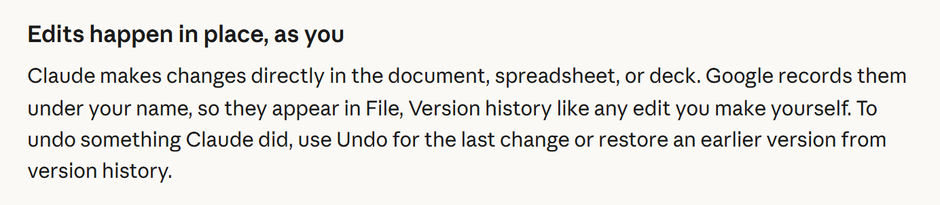
Claude's edits are normal edits. Google saves them under your name, like any change you make yourself.
- 1. In the file, go to File > Version history > See version history.
- 2. Find the change Claude made after you clicked Allow.
- 3. Don't like it? Use Undo for the last change, or restore an earlier version from the history.
Check it worked: It worked if you can find Claude's edit in the history and roll it back.
For a whole team, a Google Workspace admin can install Claude for everyone, or for chosen groups, from the Google Admin console.
NotePeople you share the file with see Claude's edits in the file and in its history, under your name. They don't see your chat with Claude.