What you'll get
- Hermes Agent installed on your own computer and signed in to Nous Portal.
- Your Gmail connected, with your own Google approval.
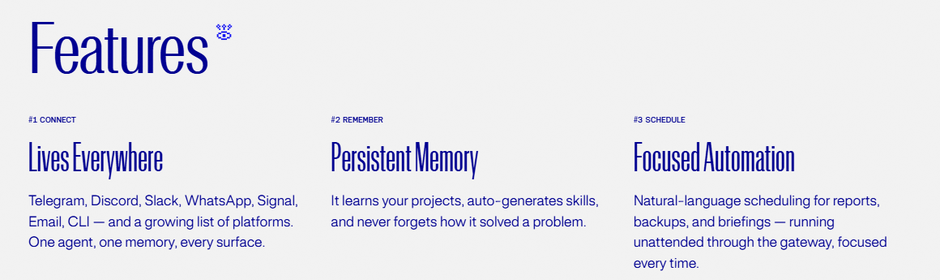
- A morning briefing job that runs by itself every weekday and sends you only what needs a decision.

Windows: install it from the Microsoft Store
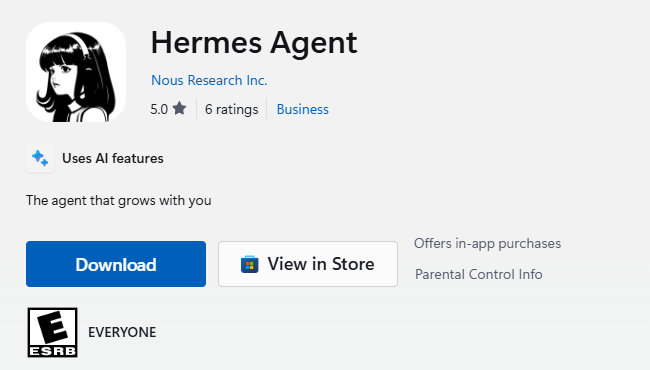
On Windows 11 the desktop app is in the Microsoft Store, published by Nous Research Inc. The app itself is free.
- 1. Open the Hermes Agent listing in the Microsoft Store. Check that the publisher is Nous Research Inc.
- 2. Click Download and let the Store app install it.
- 3. Open Hermes Agent from the Start menu.
Check it worked: It worked if the Hermes window opens and starts its first-run setup.
NoteThe Store package needs Windows 11 version 22H2 or later. On Windows 10 or an older Windows 11, skip this and use the PowerShell command in step 2.
Mac, Linux or Windows 10: one command
No Store? Paste one line into a terminal, the window where you type commands.
- 1. Open Terminal on a Mac or Linux, or PowerShell on Windows.
- 2. Copy the line for your system from the box below, paste it and press Enter.
- 3. If the installer starts asking setup questions, that's fine. You can answer them or go straight to step 3.
- 4. When it finishes, close the terminal and open a new one.
Check it worked: It worked if typing hermes in the new window starts Hermes instead of saying the command is not found.
NoteThe Mac desktop app needs an Apple silicon Mac. On an Intel Mac, use this command.
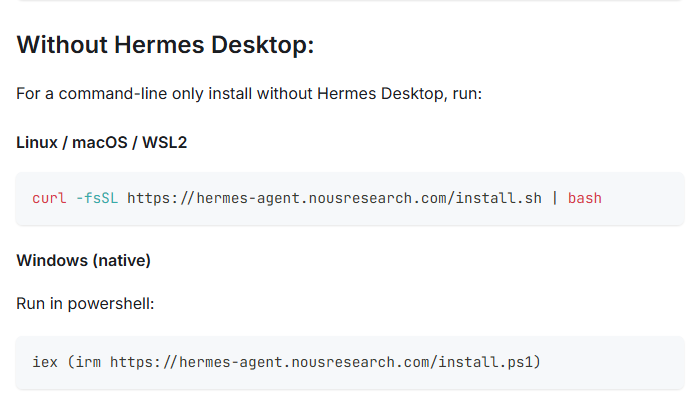
Mac / Linux (Terminal):
curl -fsSL https://hermes-agent.nousresearch.com/install.sh | bash

Windows (PowerShell):
iex (irm https://hermes-agent.nousresearch.com/install.ps1)Sign in to Nous Portal
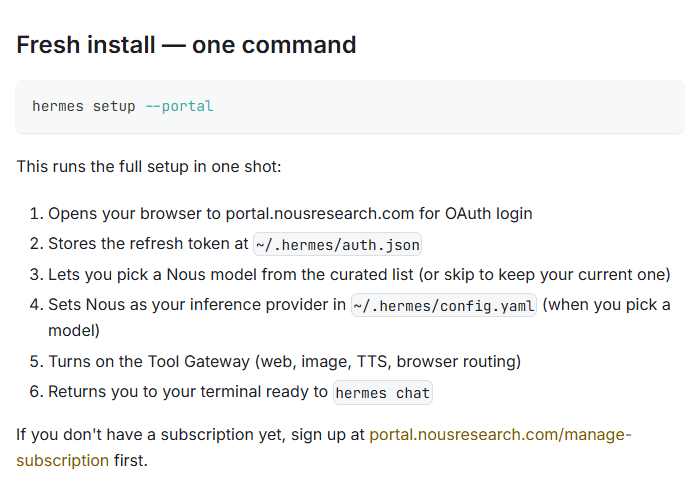
Hermes needs an AI model to think with. Nous Portal is the Nous Research account that gives it models and hosted tools with one sign-in.
- 1. In a terminal, type
hermes setup --portaland press Enter. - 2. Your browser opens on portal.nousresearch.com. Create a Nous account or sign in.
- 3. Back in the terminal, pick a model from the list.
- 4. Using only the desktop app? Its first-run setup asks you to choose a provider. Pick Nous Portal there.
Check it worked: It worked if hermes chat answers when you say hello.
NoteNot sure it worked? Type hermes portal info. It shows whether you're signed in, your plan, and which model and tools Hermes uses.
Choose free or paid
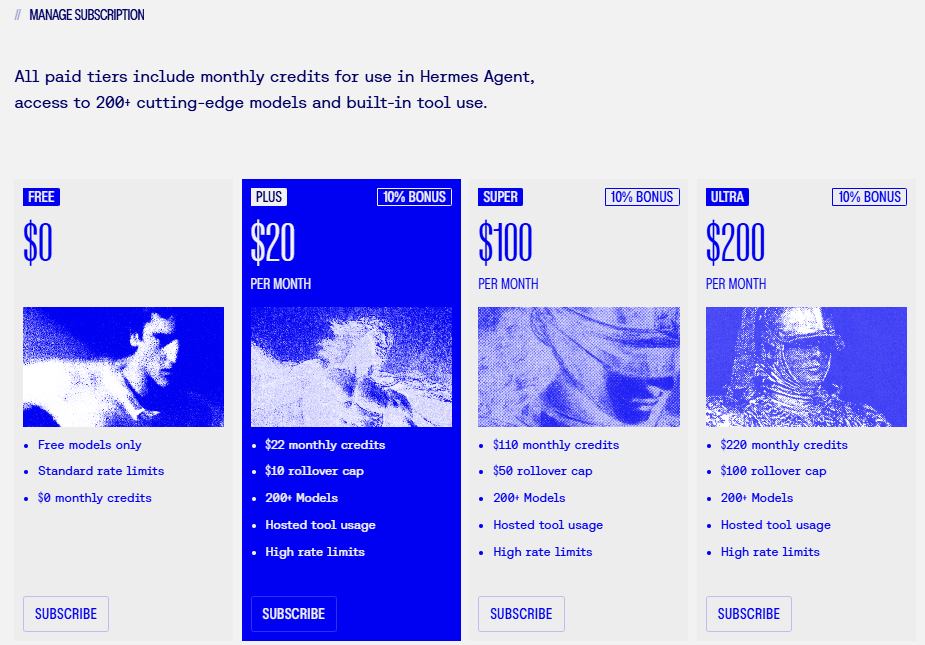
The Free plan costs $0 and uses free models only. Paid plans start at $20 a month and add 200+ models, hosted tool usage and monthly credits.
- 1. Open the Plans page on Nous Portal.
- 2. To try Hermes, Free is enough to start.
- 3. The Gmail connection in the next step runs through Nous's Tool Gateway, which the docs describe as a paid-subscription feature. Check on the Plans page what your plan includes before you rely on it.
Check it worked: It worked if hermes portal info shows the plan you chose.
NoteThe list of free models is short and changes over time. On a paid plan, keep an eye on your monthly credits in the Portal.
Connect your Gmail
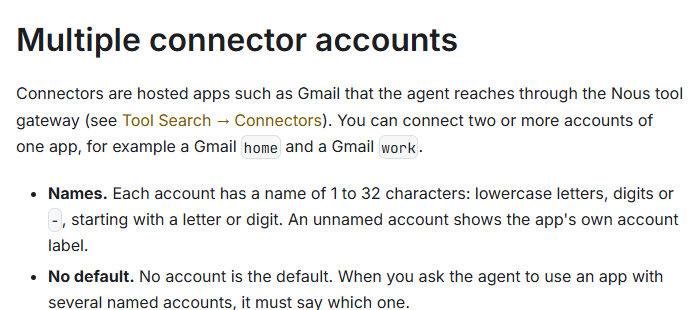
Connectors are hosted apps, like Gmail, Notion and Linear, that Hermes reaches through Nous. Google always asks you, the account owner, to approve a new connection.
- 1. In the desktop app, open the Connectors page and choose Gmail. In a terminal, type
hermes connectors connect gmailinstead. - 2. Open the connect link if Hermes gives you one.
- 3. Google opens its own sign-in and permission screen. Pick your account, read what Hermes asks for, and approve it yourself.
- 4. Hermes names the account, such as home or work, and tells you the name.
Check it worked: It worked if you ask Hermes "How many unread emails do I have?" and it answers from your inbox.
NoteIf you ask Hermes to use Gmail before it's connected, it sends you a connect link instead. Open it and approve. To disconnect an account later, do it in Nous Portal.
Give it the standing job
There's no schedule form to fill in. You tell Hermes the job in plain words and it sets the schedule itself.
- 1. Open a chat in the app, or type
hermes chatin a terminal. - 2. Copy the prompt from the box below, change the time and details to suit you, and send it.
- 3. Check that Hermes's reply names the job and when it will run.
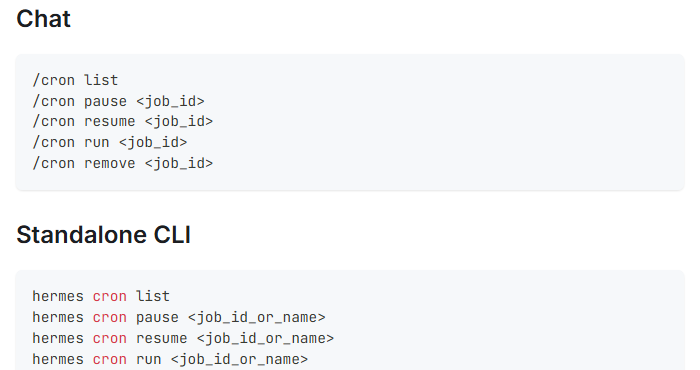
Check it worked: It worked if typing /cron list in the chat shows your morning briefing job.
NoteA job made in a terminal chat saves its result to a file on your computer by default. Want the briefing in Slack, Telegram or WhatsApp? Connect that app first with hermes gateway setup, then say where to send it in the prompt.
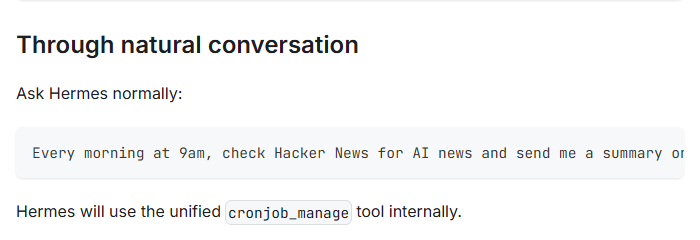
Every weekday at 8am, read my Gmail inbox from the last 24 hours. Send me a short briefing with only the emails that need a decision from me: one line each, who sent it and what they want. Skip newsletters and automatic notifications.Test it now, not tomorrow
You don't have to wait for tomorrow at 8. Run the job once by hand.
- 1. In a terminal, type
hermes cron listand find your job's name or ID. - 2. Type
hermes cron runfollowed by that name or ID, and press Enter. - 3. Wait about a minute. The scheduler checks for jobs every 60 seconds.
- 4. Read the briefing where you asked to get it.
Check it worked: It worked if you get a short list of real emails that need your decision.
For a team, the same kind of job can post to a shared Slack or Teams channel.
NoteNothing after a few minutes? Type hermes cron status. The scheduler lives in Hermes's background service, the gateway, and jobs fire only while it runs. If it's off, hermes gateway install keeps it running. If the computer is asleep at 8, the briefing won't arrive on time.