What you'll get
- HyperFrames Studio on your Windows computer, signed in with a free HeyGen account.
- Your first video, built by an AI agent from one sentence or from your website's address.
- A review link your team can open to watch the video and comment on it.
Download Studio for Windows
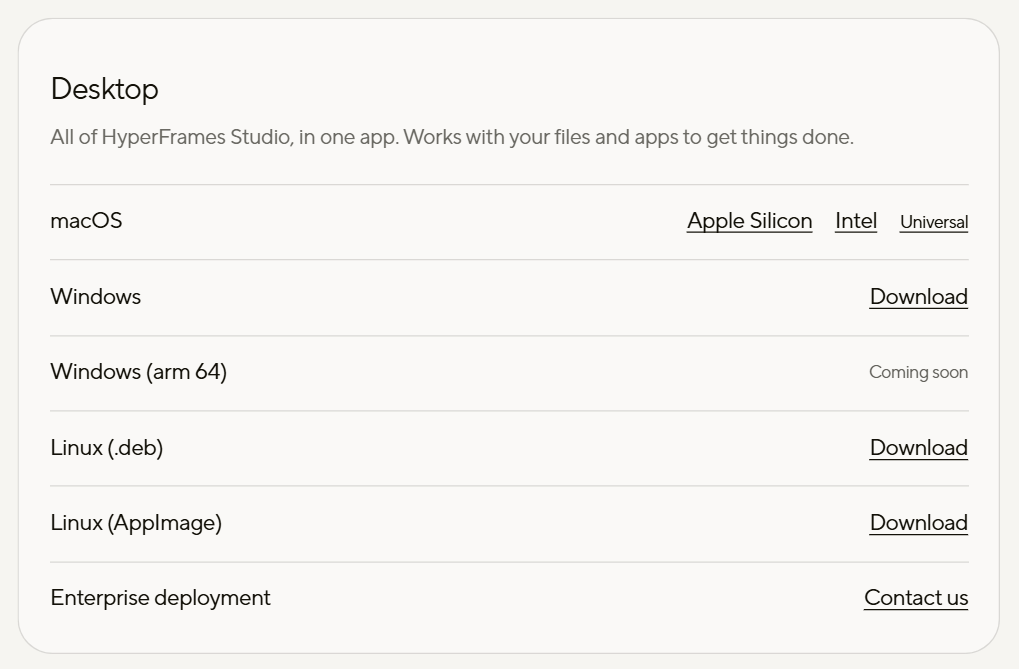
HyperFrames Studio is HeyGen's free desktop app for making videos with an AI agent. The Windows version runs on 64-bit Intel and AMD computers.
- 1. Open hyperframes.dev/studio and click Download for Windows. You get the file Install-HyperFrames.exe.
- 2. Run it. Windows shows HeyGen as the publisher.
- 3. When the installer finishes, open HyperFrames. A short survey asks what you want to make. Every answer is optional, and Skip all is fine.
Check it worked: It worked if the app opens on Home with the Make something box. The very first time, a Create your first video card may open too.
NoteNot sure which Windows you have? Open Settings → System → About and look at System type. Windows on Arm is marked Coming soon on the download page. The page mentions no country limit.
Sign in with a free HeyGen account
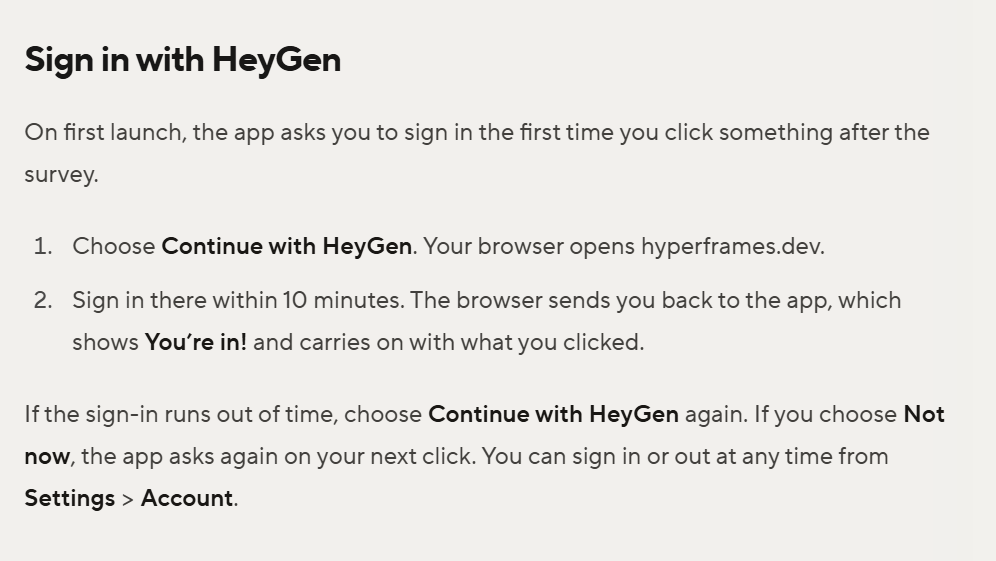
The app is free and asks for a HeyGen account. A free account is enough.
- 1. Click anything after the survey. The app asks you to sign in.
- 2. Choose Continue with HeyGen. Your browser opens hyperframes.dev.
- 3. Sign in there within 10 minutes. The browser sends you back to the app.
Check it worked: It worked if the app shows You're in! and carries on with what you clicked.
NoteRan out of time? Choose Continue with HeyGen again. HeyGen credits are used only when you ask for HeyGen media, such as an avatar, a HeyGen voice or a generated clip.
Pick an agent, the free one first
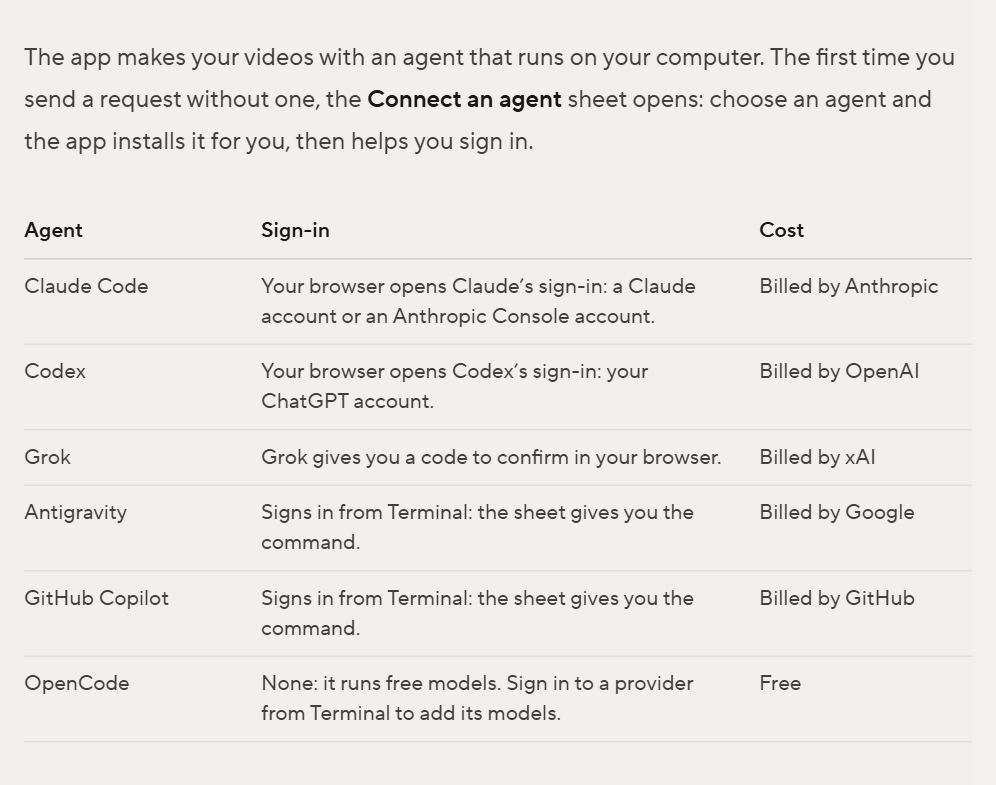
The agent is the AI that writes your video. The first time you send a request, the Connect an agent sheet opens and the app installs the agent you pick.
- 1. Choose Install next to OpenCode. It runs free models and needs no sign-in.
- 2. The first time you send to OpenCode, the app asks you to Turn on Full access. That lets the agent install and run anything without checks. Claude Code works in the safer default mode, Auto.
- 3. Already pay for Claude? Pick Claude Code instead and sign in with your Claude account. Anthropic bills your plan. Codex, Grok, Antigravity and GitHub Copilot are on the list too.
Check it worked: It worked if Settings → Permissions shows your agent as Ready.
NoteIf an install fails, the sheet shows the command. Choose Copy, then Open Terminal, and paste it. Free models are fine for a first draft. HeyGen says the top paid models are still better at timing and finish.
Describe the video or paste your site
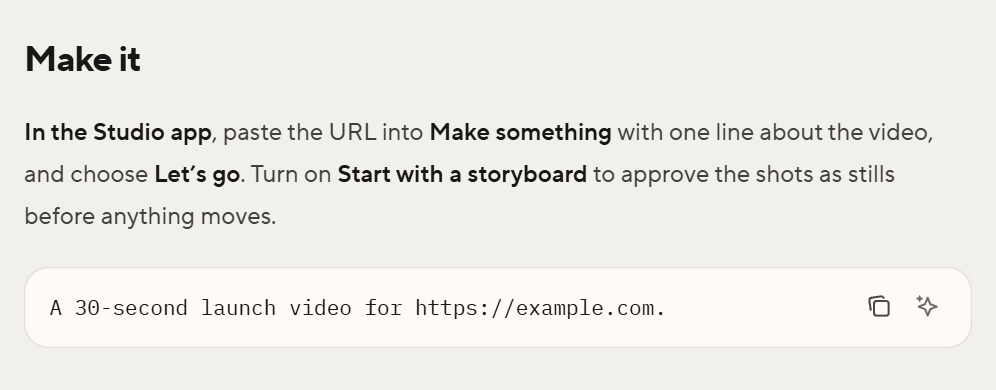
One sentence in the Make something box on Home is enough. Add your website's address and the agent builds the video from the site's real screens, colors and words.
- 1. Paste the request from the box below and put in your own address.
- 2. Choose Let's go. With no agent yet, the app walks you through step 3 first.
- 3. The agent may ask a question or two on cards. Pick an answer, or choose Something else… and type your own, then Send answer.
- 4. Leave Start with a storyboard on. Every shot appears as a still in the Storyboard tab. Ask for changes to any frame, then choose Build the video.
Check it worked: It worked if the finished video plays in Preview. In HeyGen's own demo with Claude Code, the storyboard took 29 minutes and the build 10.
NoteWant Hebrew text in the video? HeyGen's docs don't confirm yet that Hebrew captions show right to left. Check the preview closely before you share it.
Make a 30-second vertical (9:16) launch video for https://yoursite.com. Use the site's own colors and screenshots. Open with the problem in one line, show three things the product does, and end on the logo with one call to action. Add a calm voiceover.Cut words in Script
Script shows every word spoken in your video as text, so you edit the video like a document. It needs spoken words, so the video needs a voiceover. The request in step 4 already asks for one.
- 1. Open Script at the top of the right panel. On some accounts it opens from a clip's menu instead.
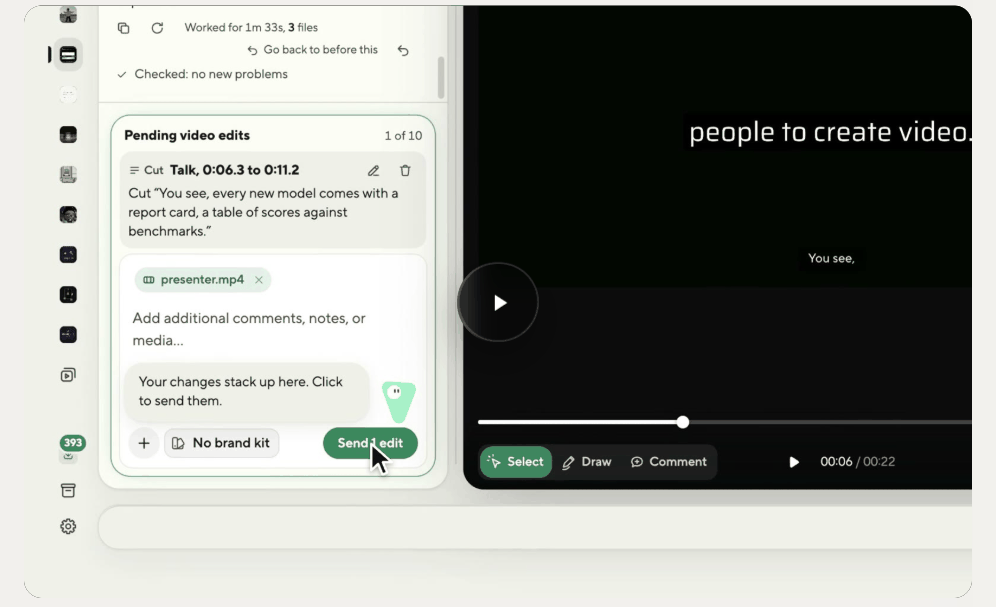
- 2. Click the first word you want gone, Shift-click the last, then choose Cut.
- 3. The cut waits under Pending video edits. Choose Send 1 edit and the agent applies it.
Check it worked: It worked if the video gets shorter and the cut words are gone from Preview.
NoteScript needs your HeyGen sign-in on a plan that includes it, or a HeyGen API key. Don't see it? Type the change in the chat instead, for example "make the first scene shorter".
Export it and send a review link
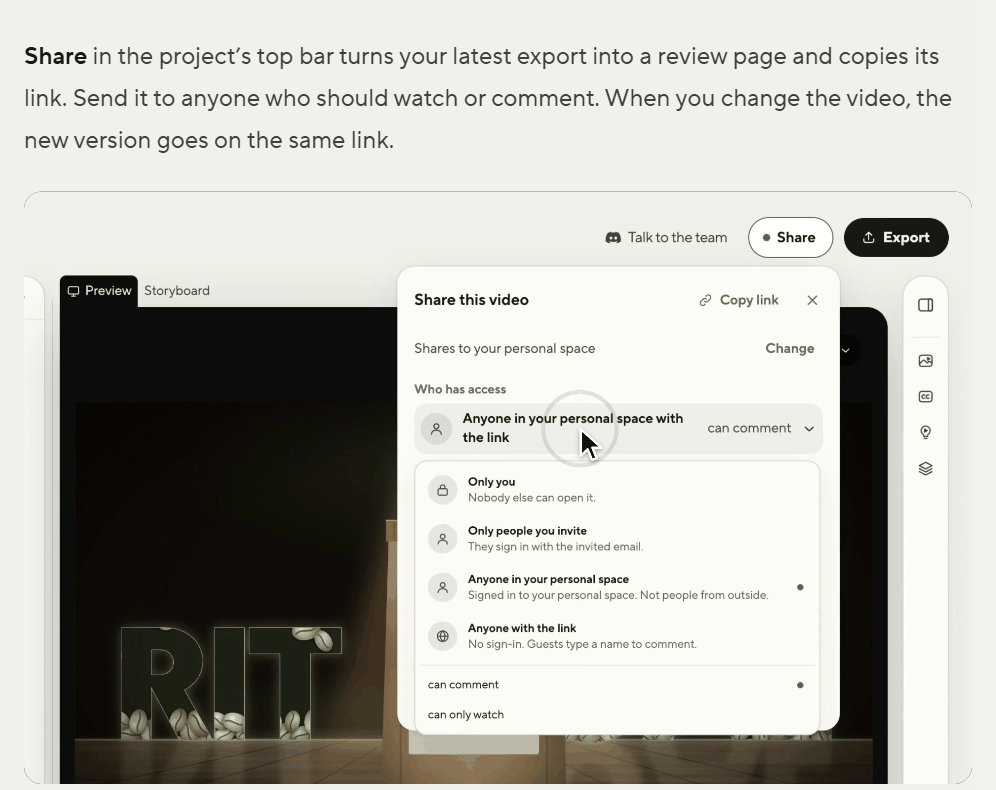
Export saves an MP4 on your computer. Share turns it into a page your team can watch and comment on.
- 1. Choose Export in the top bar, then the render button, for example Render 1080p MP4. Rendering on your computer is free, and the file lands in your Downloads folder.
- 2. Choose Share. The app uploads the export, makes a review page and copies its link.
- 3. Under Who has access, pick who can open it. For people outside your HeyGen workspace, pick Anyone with the link.
Check it worked: It worked if a teammate opens the link and leaves a comment on the video.
For a marketing team that makes videos every week, the same steps can run as one shared routine for the whole company.
NoteHeyGen checks the video first, so the panel shows Checking… for a few minutes. Changed the video later? Export again and choose Add this version. Everyone with the link sees the new cut.