What you'll get
- Muse linked to one tool your business already uses, with only the access it needs.
- Settings that make Muse ask before it sends, posts or pays for anything.
- Three ready prompts: a monthly money check, an inbox rescue and a growth plan.
Check that you can get Muse
Muse is Meta's AI agent. You give it a goal and it works on it in the apps you connect. Muse for Small Business adds connectors and skills for running a company.
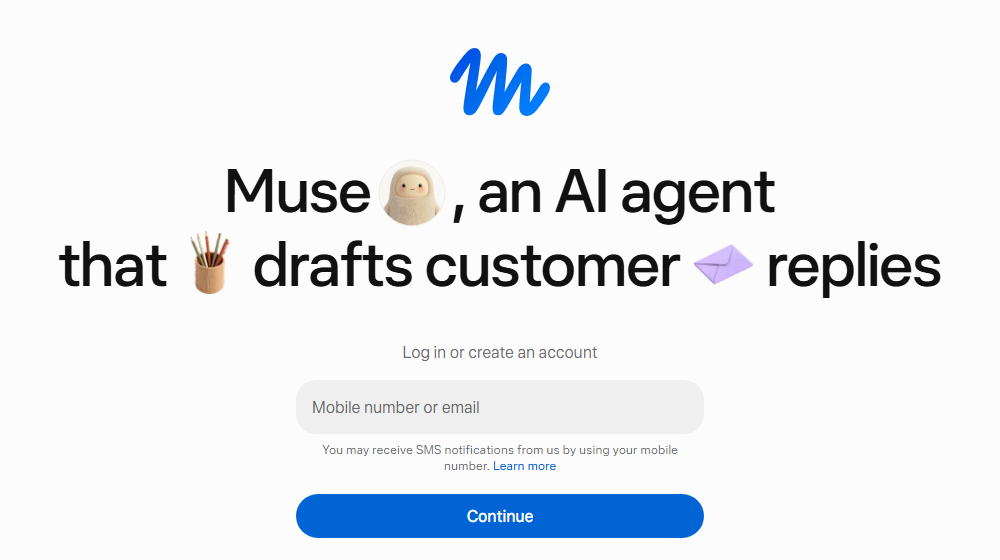
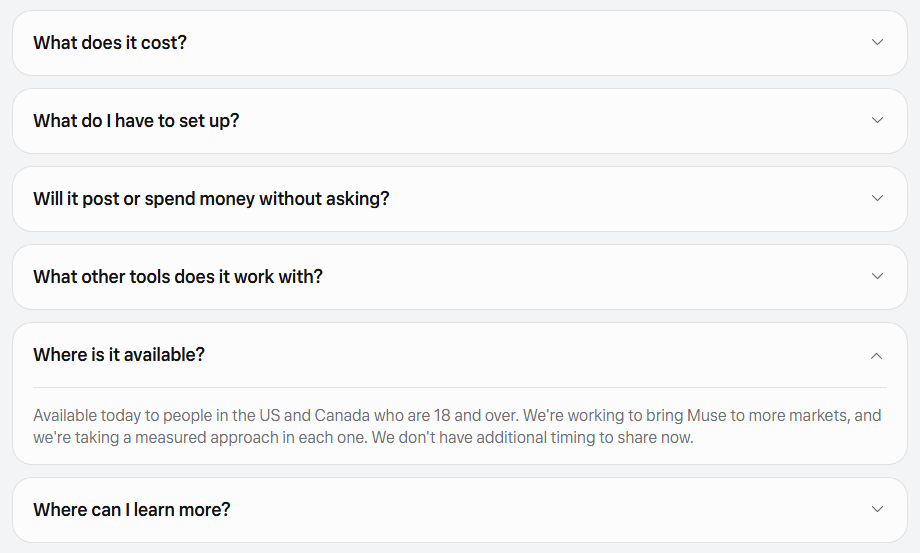
- 1. Check where you live. Muse is open today to people in the US and Canada who are 18 or over.
- 2. Go to muse.ai/business, or get the Muse app on iPhone or Android.
- 3. Enter your mobile number or email and select Continue.
Check it worked: It worked if you're inside Muse and can type a message.
NoteOutside the US and Canada? Meta says it's working on more markets and has no dates yet. You can still use steps 2 to 4 to get ready: pick your one tool, decide your approval rules and save the prompts. Muse is free for most uses, with paid plans if you want more.
Connect one tool, nothing more
A connector links Muse to another app, like Shopify, QuickBooks, Stripe or Slack. Start with one: the place where most of your numbers live.
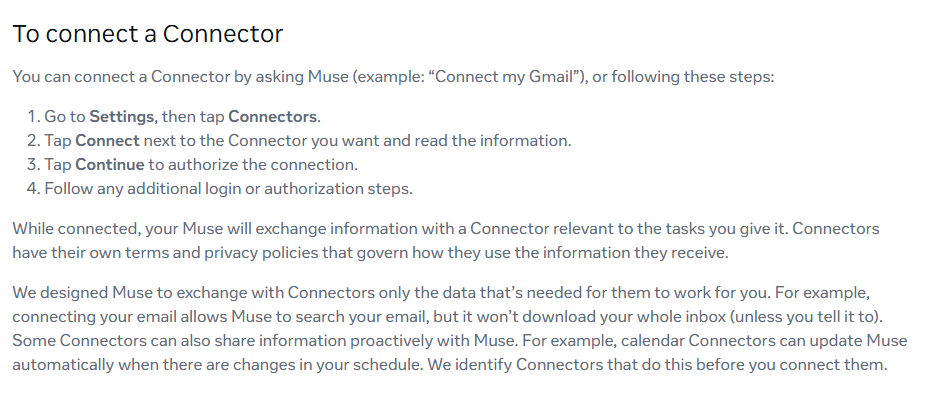
- 1. In Muse, go to Settings, then tap Connectors.
- 2. Tap Connect next to the tool you want and read the information.
- 3. Tap Continue and finish that tool's login steps.
- 4. Your Facebook and Instagram may already be linked through Meta's Accounts Center. Look at the list before you add anything else.
Check it worked: It worked if you ask Muse what it can see in that tool and it answers with your real data.
NoteMany connectors can be set so Muse only reads data and can't act. Choose that where you can (check on your screen). To remove a tool, disconnect it in Settings under Connectors. What Muse already learned from it may stay in its memory.
Make it ask before it acts
Muse already asks before it sends an email or buys something. For the first weeks, make it ask before anything it does in your tools.
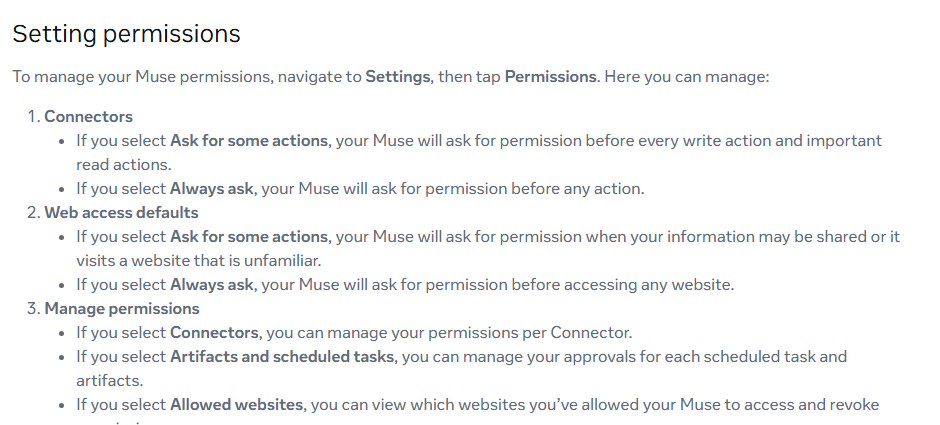
- 1. Go to Settings, then tap Permissions.
- 2. Under Connectors, select Always ask.
- 3. Under Web access defaults, Ask for some actions is a fine start.
- 4. When an approval card pops up, pick Allow once while you're learning. Leave Always allow for later.
Check it worked: It worked if Muse shows you an approval card before it changes anything in your tool.
NoteAlways ask means more taps. Once you trust one tool, loosen it alone under Manage permissions, then Connectors. Not sure about a card? Tap See task details before you choose.
Give it three real jobs
These three prompts come from Meta's own examples for small businesses.
- 1. Open a new chat with Muse.
- 2. Paste the first prompt and read the answer.
- 3. Send each of the other two in a new chat.
Check it worked: It worked if the answers name real numbers, emails or posts from your connected tool.
NoteGeneric answer? Muse probably can't see the data, so go back to step 2. Muse also brings you ideas on its own in the Ideas tab, like emails that need a reply with a first draft ready.
How was my business's financial performance this month? Find any expenses that look off.

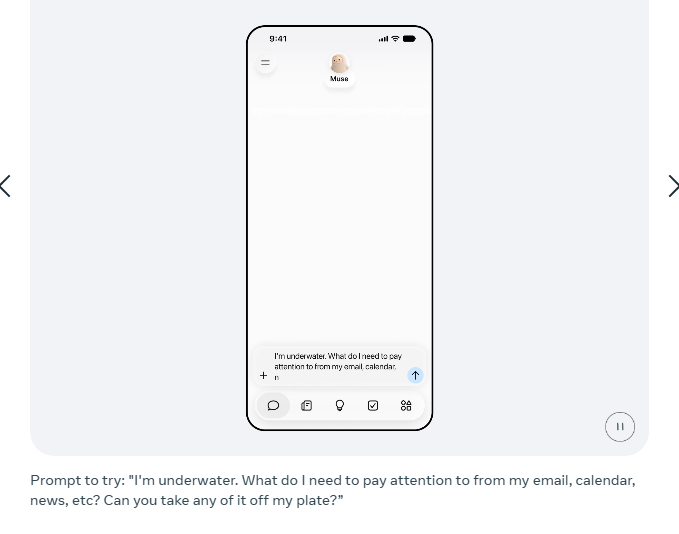
I'm underwater. What do I need to pay attention to from my email, calendar, news, etc? Can you take any of it off my plate?

Analyze this year's sales, campaigns, and social and make me a growth plan to meet my business goals for next year.Check its work in the Activity log
For the first week, look at what Muse did before you hand it more.
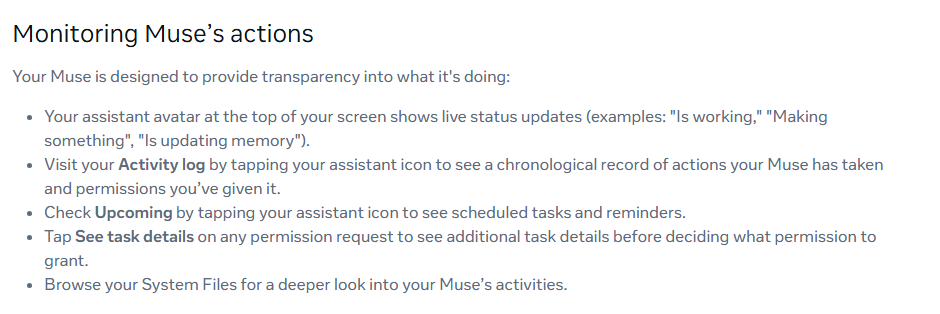
- 1. Tap your assistant icon and open your Activity log. It lists every action Muse took and every permission you gave.
- 2. Check Upcoming, under the same icon, for scheduled tasks and reminders.
- 3. Something wrong? Ask Muse in the chat to undo or stop it. That works for some actions only. A sent email can't be undone.
Check it worked: It worked if every line in the Activity log is something you expected.
For a whole company, the same setup can run on your own systems, with approval rules for each team.
NoteMuse can make mistakes, and Meta says you're responsible for what you approve. Compare money numbers with your books before you act on them.